
School and community centre
School and community centre — questions from the lesson
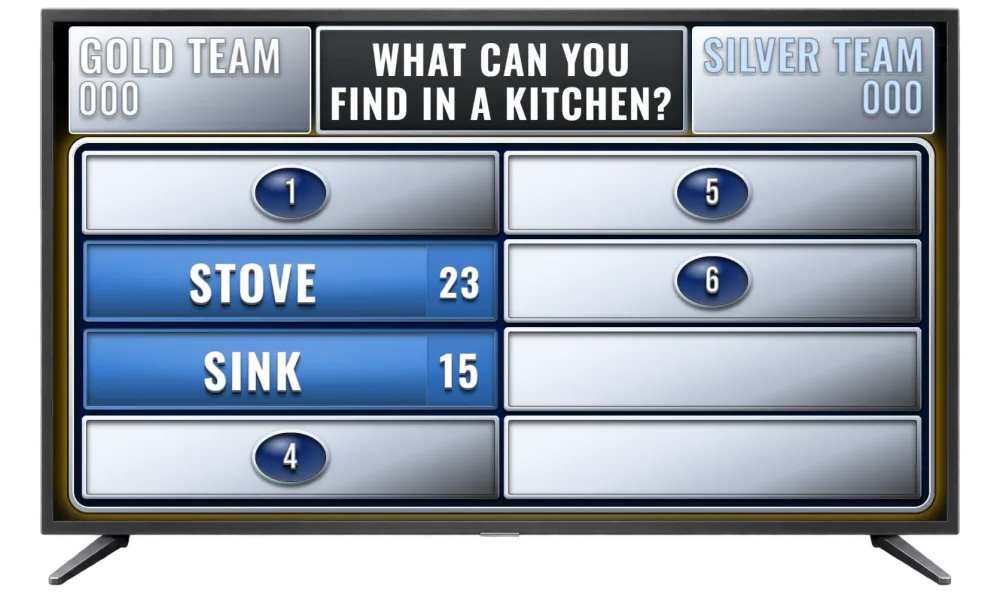
A class, a fair or a community hall. The teacher writes questions for the age and the topic — the game has no separate classroom mode. It is FamiliVersus, a Family Feud–style game, for two teams, with the board on a projector. Connecting the screen: big-screen quiz.
Revision before a test
The class splits into two teams. Questions from the current material in survey format: several answers, points for hitting what people actually say. The board is on a projector or monitor — the whole room sees the same thing.
How it runs
- The teacher prepares 4–8 questions from the current unit.
- The class splits into two teams.
- Students buzz or raise a hand.
- Correct answers come off the board and the team scores.
- After a few rounds you can see what the class still doesn’t know — without a written test.
This is not a single-choice test. A question has several reasonable answers, and the points show what students actually tend to say.
Sample questions
- What are the effects of… (instead of one “correct” answer — several the class mentions most)?
- What do students remember from this book before they open their notes?
- Which mistakes keep showing up in this unit?
School fair, open day, inter-school contest
A gym or hall, a projector, two class or school teams. General questions or questions about the school: teachers, habits, local facts. The host runs it from a laptop, the audience watches the big screen.
Sample questions
- What do students do when the break bell is late?
- What always disappears from the school shop?
- What sentence comes up most at parents’ evening?
- What will visitors remember about our town?
Community centre and local event
Same setup: board in the browser, host panel, optional buzzer. Questions about the neighbourhood, the club, workshops or the history of the place. Nothing to install on the hall TV.
If several groups play in a row, you save the rounds and come back to them. You don’t start from scratch every time the audience changes.
A lesson round, not a single-answer test
The class splits into two teams. A question has several reasonable answers, and the points show what comes up most often. Facts with one correct answer fit this board poorly — leave those for a regular quiz.
The points are an illustration made for this example.
What do students want just before a test?
- One more example — 28 pts
- Time — 22 pts
- A sheet with the formula — 18 pts
- A quiet room — 14 pts
- The answer on the board — 10 pts
- A break — 8 pts
Technically simple
Does FamiliVersus have a classroom mode?
No. It is the same two-team game. The teacher writes questions for the age and the material. Several answers work better than a test with one correct fact.
How do I connect a TV?
Open the TV board in a browser on the television (or via Chromecast / HDMI from a laptop) and connect it to the host panel with a QR code.
Does it work on a projector?
Yes — a browser and full screen are enough. It works in conference rooms, schools and community centres.
Can I add my own questions?
Yes. On a free account you can prepare an unlimited library (categories, questions, up to 8 answers when saving) — including questions about a couple, a company or guests, by hand or with AI on Premium. In gameplay the first 3 questions from your library are available (alphabetical order); the rest locked; up to 8 answers on the board. Full library in gameplay — with Premium.
Do I need to install anything?
No. You and your guests install nothing. A browser and internet are enough — host panel, TV board and team buzzer are web pages.
Can I use a phone?
Yes. Samiku games work on phone, laptop and tablet. The team buzzer is optimized for tablet.
Try before the lesson or the fair
Run the free demo and see the host panel and TV board in action.